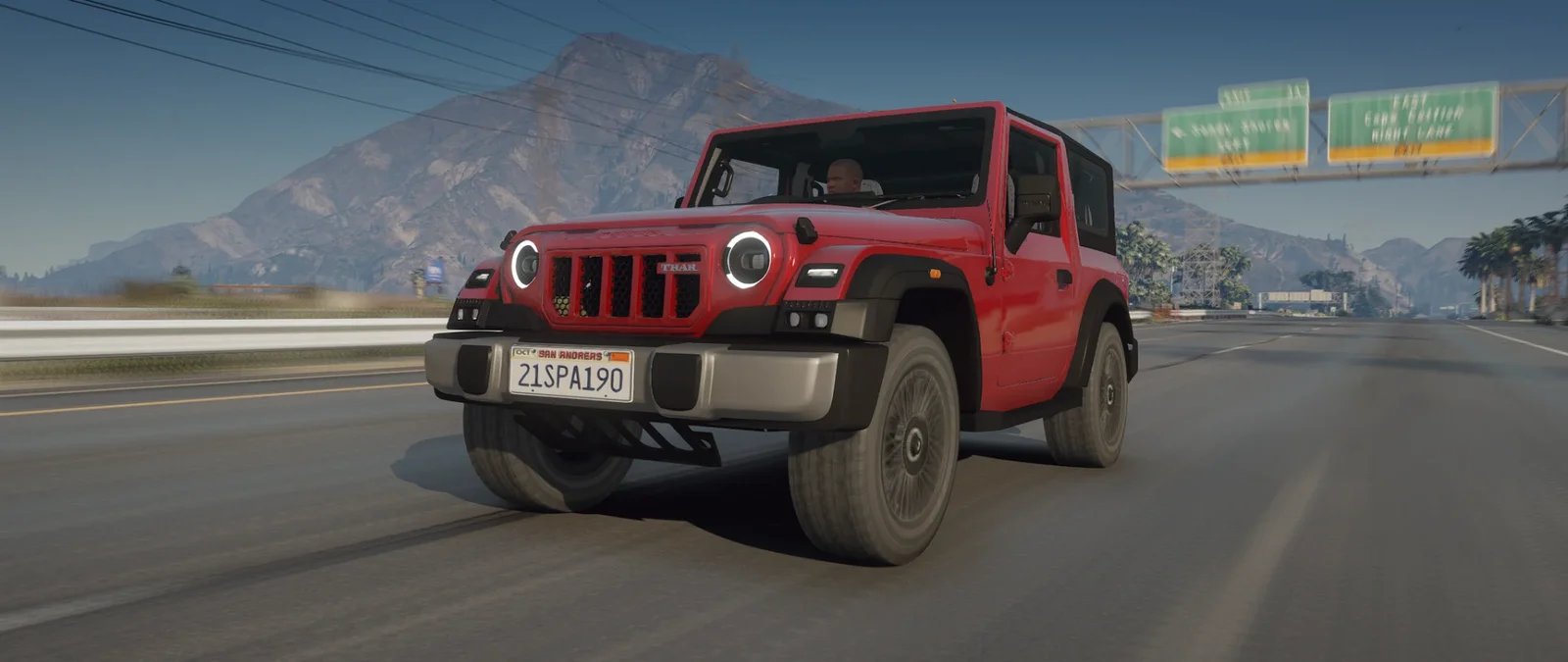
THAR OG 2026
Screenshots
Report this Mod
Help us keep Simulation World safe and reliable.
You need to sign in to report a mod.
Sign in to continueMod Details
Description
The 2026 Mahindra Thar OG is a bold and rugged 3-door lifestyle SUV that combines iconic design with modern technology and enhanced off-road capabilities. It features a redesigned front grille, signature C-shaped LED DRLs, stylish alloy wheels and a premium interior. Powered by 1.5L diesel, 2.2L mHawk diesel and 2.0L turbo-petrol engine options, it delivers up to 152 HP and 330 Nm of torque. With improved suspension, 4x4 capability, electronic locking differential and advanced safety features, the Thar OG is built for adventure, performance and everyday road prese
About This Mod
*HQ Exterior
*Original Interior
*All Doors And Boot Open
*Working Speedometer
*Working Mirrors Reflections
*Working Dials & Dashboard
*Working Headlights & Taillights
*All Working Indicators
*Correct Seat Position
*V Plates
Video Preview
How to Install GTA V Mods?
GTA V mods can use different installation methods depending on the mod type. Follow the mod creator's instructions and use the required modding tools for the specific mod.
Step-by-Step Installation Guide
- Download the Mod: Download the GTA V mod files from this page.
- Read the Installation Requirements: Check whether the mod requires OpenIV, Script Hook V, ASI Loader or another required component.
- Install the Required Tools: Install the tools required by the mod before adding its files.
-
Install the Mod:
Follow the supplied instructions to place the mod files
in the correct GTA V directory or OpenIV
modsfolder. - Launch the Game: Start GTA V and test the installed mod in the mode supported by the mod creator.
Download Ready
Connect with the Creator
Have a question about this mod? Get in touch with the creator directly.
Troubleshooting Tips
- Make sure the mod is intended for your GTA V version and game mode.
- Check that all required tools or dependencies listed by the mod creator are installed.
- Verify that the mod files were placed in the exact folder or OpenIV location specified by the installation instructions.
- Remove conflicting mods or dependencies if the game crashes or the mod does not load.
Comments
0 comments
You need to be logged in to post a comment.
Sign In to Comment