Livery Local Bus Mod 3 In 1 Pack Bussid/Bussin By Simulation World
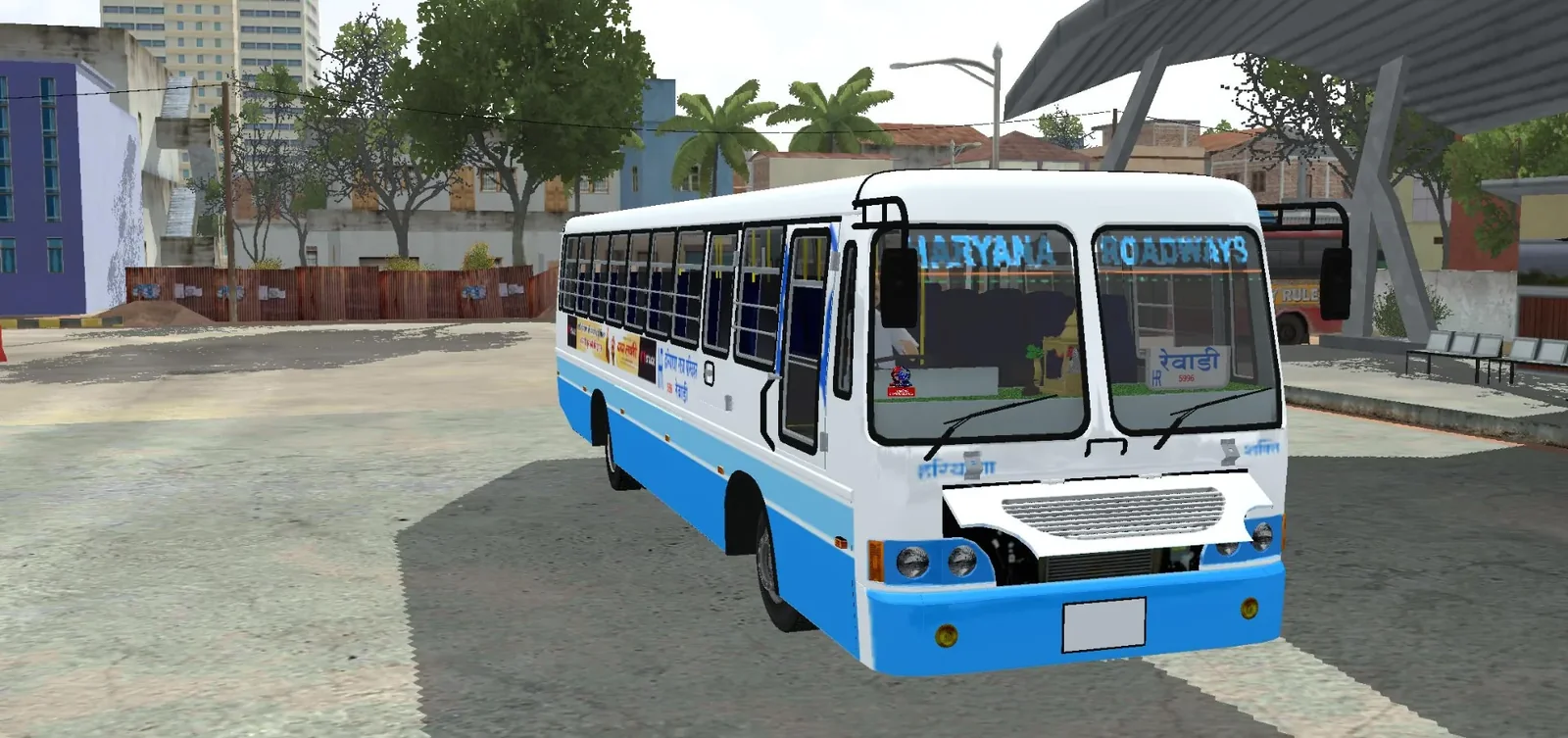
Screenshots
Mod Details
Description
- RSRTC
- Haryana RoadWays
- Gujrat RTC
- Haryana Roadways2
- Haryana Roadways3
About This Mod
Experience the charm of Indian public transport with the Local Bus Mod 3 In 1 Pack for BUSSID/BUSSIN, brought to you by Simulation World! 🇮🇳
This pack features Indian local bus liveries inspired by Haryana Roadways, with a distinctive white-and-blue colour scheme, detailed exterior designs, passenger windows, and authentic Indian bus styling. It is a great choice for players who enjoy driving Indian buses and adding a local transport feel to their bus simulator gameplay.
🚌 Mod Highlights
3-in-1 Pack: Three options in one pack.
Indian Local Bus Style: Inspired by the look of Indian roadways buses.
Haryana Roadways-Inspired Livery: White-and-blue exterior design.
BUSSID/BUSSIN Compatibility: Created for the supported simulator version and vehicle model.
Simulation World: Brought to you by the Indian bus simulation community.
Video Preview
How to Install Bussin Mods?
To install a mod in
Bus Simulator Indonesia/India (Bussid/ Bussin),
you generally need to download the mod file
(usually ending in
.bussimod
or
.bussidvehicle)
and move it into the game's designated
"Mods" folder using a file manager.
Step-by-Step Installation Guide
- Download the Mod: Find a mod you like (bus, truck, or car).
- Locate the File: Open a file manager app like ZArchiver and go to your Downloads folder to find the file.
-
Move the Mod File:
- Long-press the mod file and select Copy or Cut.
- Navigate to the internal storage folder named BUSSID.
- Open the Mods folder inside the BUSSID directory.
- Paste the file here.
-
Activate in Game:
- Open Bus Simulator Indonesia/India.
- Go to the MOD section on the main menu.
- If the mod isn't showing, tap Import and select the file from your storage.
- Use the Mod: Go to your Garage, scroll through your vehicles until you find the new mod, and tap Use.
Download Ready
Connect with the Creator
Have a question about this mod? Get in touch with the creator directly.
Troubleshooting Tips
- Make sure the downloaded file is a supported BUSSID mod file.
- If the mod does not appear, check that it is inside the correct Mods folder.
- Restart the game after moving or importing the mod.
Comments
0 comments
You need to be logged in to post a comment.
Sign In to Comment