Maruti Omni 4x4 offroader mod by Mods For You
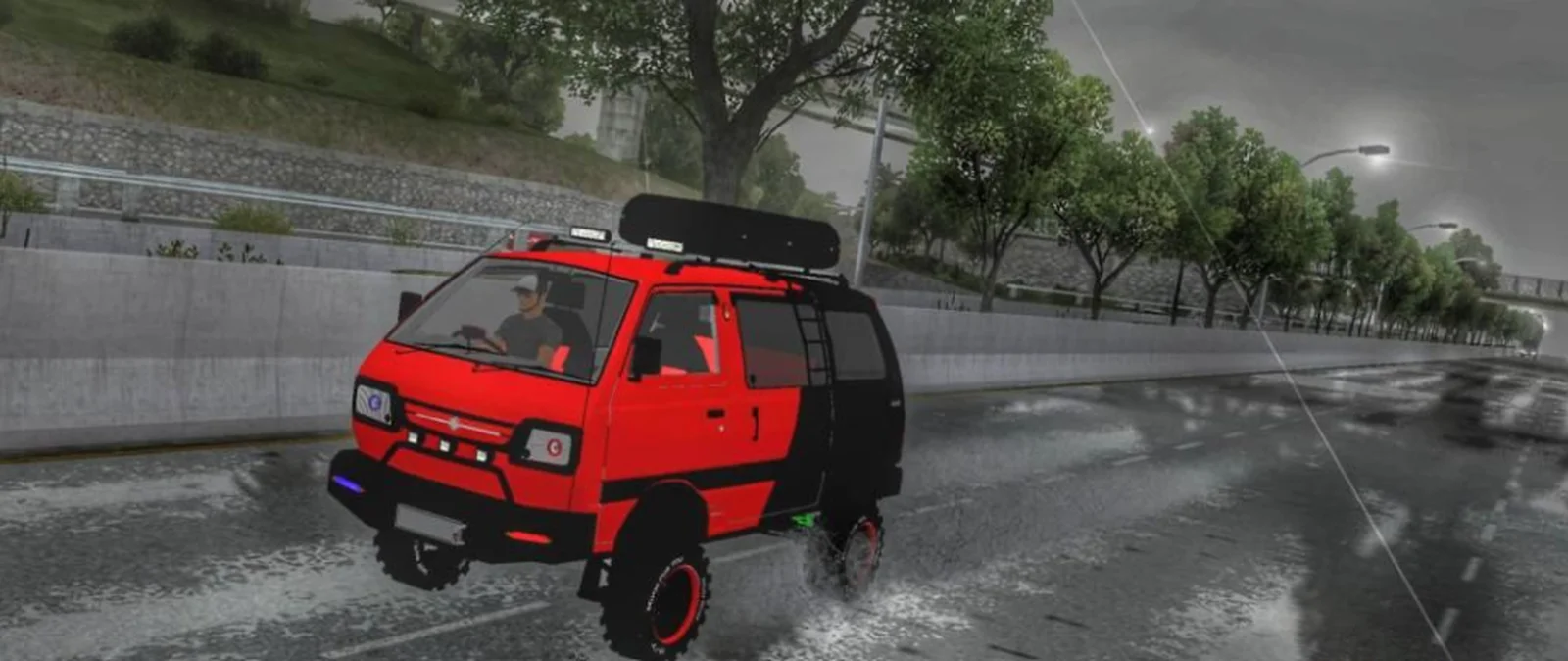
Screenshots
Mod Details
Description
This Mod is a consept mod. Which dont exisit in real life.
Features:
-4x4.
-huge tyres.
-customise livery
-high speed mod
Enjoy this modÂ
request to all not to reupload this mod any website.
Specially changing link is strictly prohibited.
feel free to use this mod for YouTube channel kindly give credits and also download link in your video description.
Password in youtube video shown in This post
About This Mod
Maruti Omni 4x4 Offroader — Bussin Car Mod
Take the iconic Maruti Omni off the beaten path with this custom 4x4 Offroader mod for Bussin, created by Mods For You. Combining the familiar compact design of the Omni with a rugged off-road setup, this unique build is made for players who want something different from the usual cars.
With its raised off-road stance and 4x4 character, the Maruti Omni Offroader is ready for exploring rough terrain, dirt roads, and challenging routes across Bussin.
Video Preview
How to Install Bussin Mods?
To install a mod in
Bus Simulator Indonesia/India (Bussid/ Bussin),
you generally need to download the mod file
(usually ending in
.bussimod
or
.bussidvehicle)
and move it into the game's designated
"Mods" folder using a file manager.
Step-by-Step Installation Guide
- Download the Mod: Find a mod you like (bus, truck, or car).
- Locate the File: Open a file manager app like ZArchiver and go to your Downloads folder to find the file.
-
Move the Mod File:
- Long-press the mod file and select Copy or Cut.
- Navigate to the internal storage folder named BUSSID.
- Open the Mods folder inside the BUSSID directory.
- Paste the file here.
-
Activate in Game:
- Open Bus Simulator Indonesia/India.
- Go to the MOD section on the main menu.
- If the mod isn't showing, tap Import and select the file from your storage.
- Use the Mod: Go to your Garage, scroll through your vehicles until you find the new mod, and tap Use.
Download Ready
Troubleshooting Tips
- Make sure the downloaded file is a supported BUSSID mod file.
- If the mod does not appear, check that it is inside the correct Mods folder.
- Restart the game after moving or importing the mod.
Comments
0 comments
You need to be logged in to post a comment.
Sign In to Comment