
BYD Olectra CX2 EV Bus Mod Bussid/Bussin By Simulation World
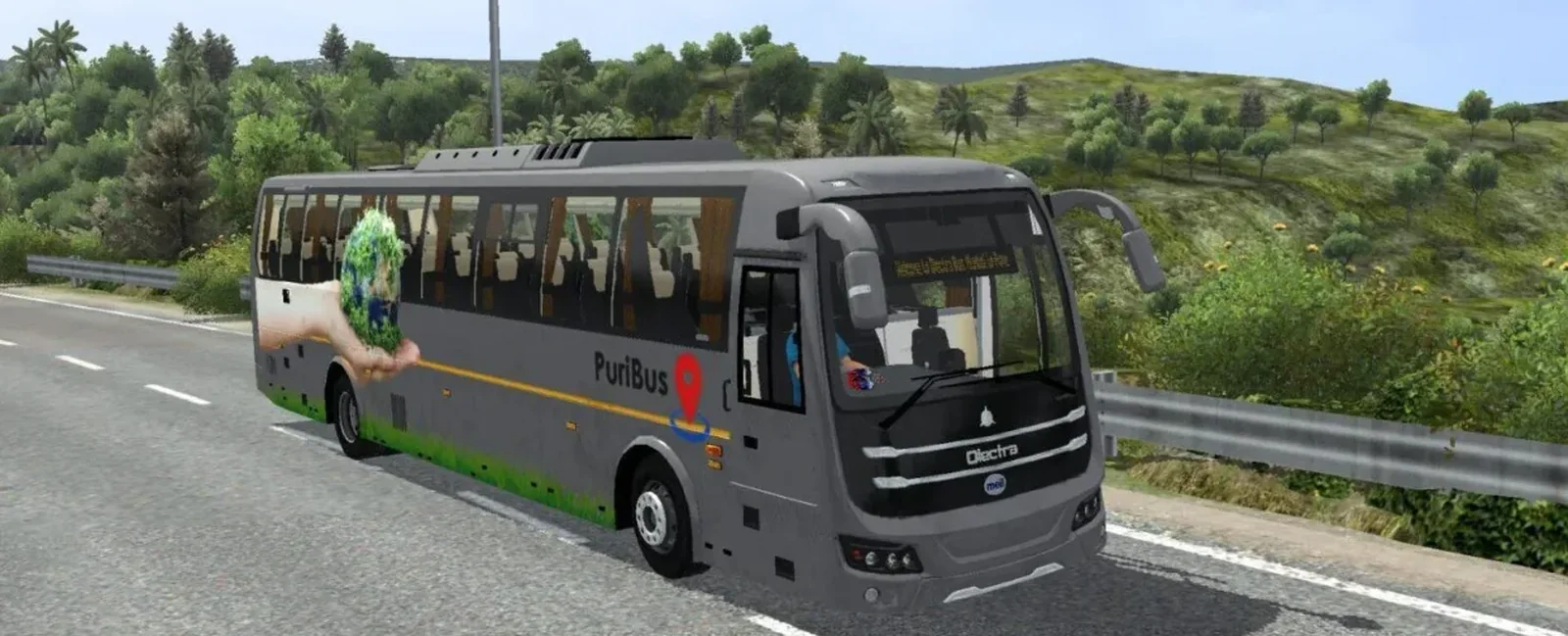
Screenshots
Mod Details
Description
- Realistic 3d model
- realistic animations
- realistic sounds
- realistic lightening
- realistic control
- smooth handling
- reverse camera animation
- ets2 level rain effect
Livery by - Kalpesh Kapure
For Password watch this video -
https://youtu.be/qhXlWvuHme8
Re-sharing of this mod without any permission is completely prohibited.
About This Mod
Experience modern electric bus driving with the BYD Olectra CX2 EV Bus Mod for BUSSID, brought to you by Simulation World. This mod is designed for players who enjoy driving realistic buses and exploring Indian roads in Bus Simulator Indonesia. Featuring the distinctive styling of the BYD Olectra CX2 electric bus, it adds a modern touch to your virtual bus collection.
The BYD Olectra CX2 is inspired by India's growing electric public transport system, making it an excellent choice for players who love eco-friendly buses and urban transportation. Take your virtual passengers through busy city streets, highways, and different routes while enjoying an exciting bus driving experience.
This mod is suitable for BUSSID players looking to expand their collection with a modern electric bus model. Download the BYD Olectra CX2 EV Bus Mod from Simulation World and explore a new way to enjoy virtual bus driving.
Stay connected with Simulation World for more exciting BUSSID and Bussin bus mods, new releases, and updates. Enjoy driving, and have fun on every journey!
Video Preview
How to Install Bussin Mods?
To install a mod in
Bus Simulator Indonesia/India (Bussid/ Bussin),
you generally need to download the mod file
(usually ending in
.bussimod
or
.bussidvehicle)
and move it into the game's designated
"Mods" folder using a file manager.
Step-by-Step Installation Guide
- Download the Mod: Find a mod you like (bus, truck, or car).
- Locate the File: Open a file manager app like ZArchiver and go to your Downloads folder to find the file.
-
Move the Mod File:
- Long-press the mod file and select Copy or Cut.
- Navigate to the internal storage folder named BUSSID.
- Open the Mods folder inside the BUSSID directory.
- Paste the file here.
-
Activate in Game:
- Open Bus Simulator Indonesia/India.
- Go to the MOD section on the main menu.
- If the mod isn't showing, tap Import and select the file from your storage.
- Use the Mod: Go to your Garage, scroll through your vehicles until you find the new mod, and tap Use.
Download Ready
Troubleshooting Tips
- Make sure the downloaded file is a supported BUSSID mod file.
- If the mod does not appear, check that it is inside the correct Mods folder.
- Restart the game after moving or importing the mod.
Comments
0 comments
You need to be logged in to post a comment.
Sign In to Comment