
LEGENDER 2022
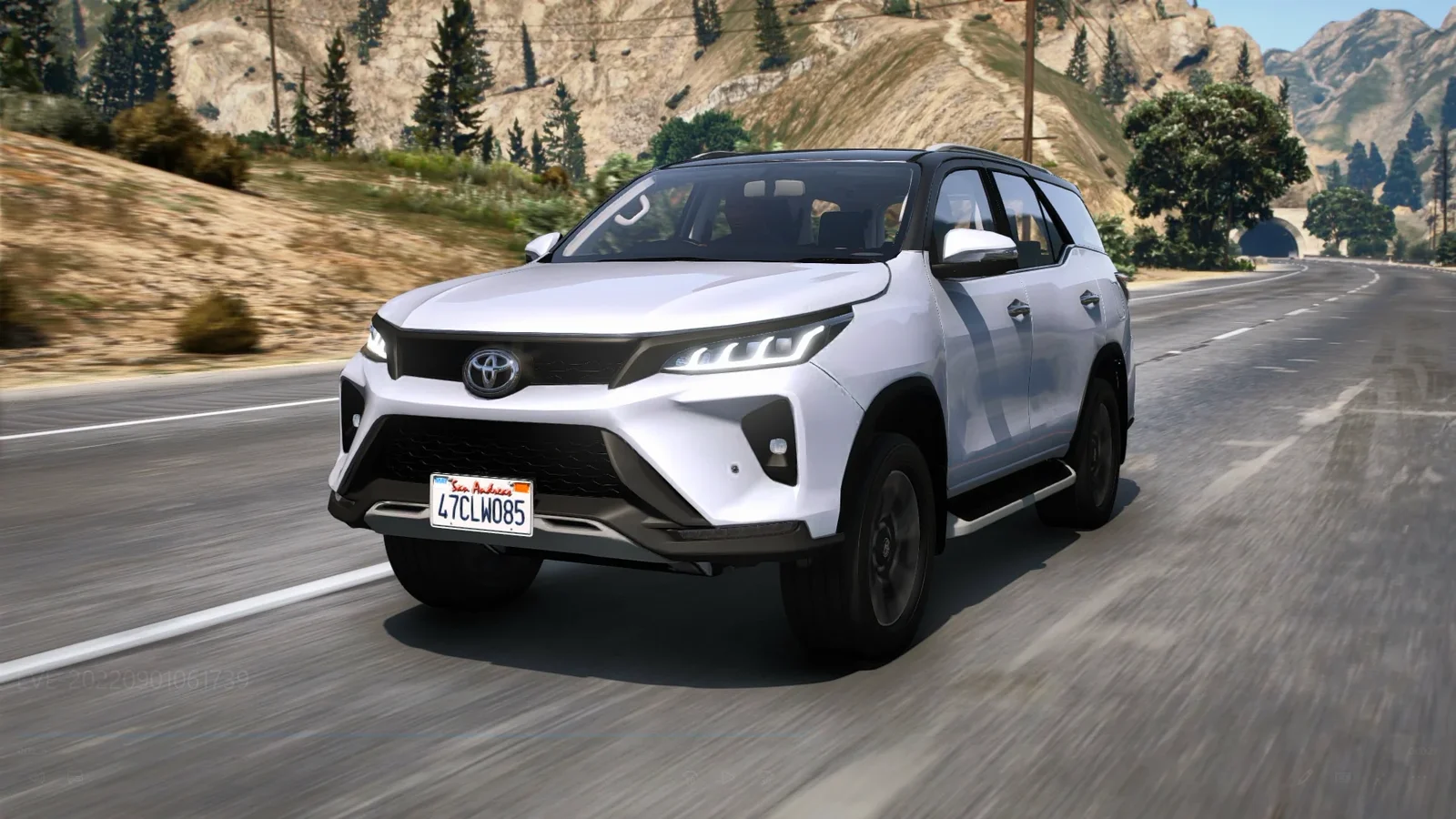
Screenshots
Report this Mod
Help us keep Simulation World safe and reliable.
You need to sign in to report a mod.
Sign in to continueMod Details
Description
The 2022 Toyota Fortuner Legender is a premium 7-seater luxury SUV that combines bold styling, powerful performance and exceptional road presence. It features a distinctive split front grille, sharp LED headlamps with sequential turn indicators, a dual-tone black roof, 18-inch alloy wheels and a luxurious black-and-maroon interior. Powered by a 2.8-litre turbo-diesel engine producing 204 PS and 500 Nm of torque, paired with a 6-speed automatic transmission, it delivers smooth acceleration and effortless highway cruising. With ventilated front seats, a power-operated tailgate, an 8-inch touchscreen infotainment system and advanced safety features, the Legender offers a perfect blend of luxury, comfort and performance.
About This Mod
*HQ Original Interior
*Right Hand Drive
*HQ Dirtmap
*Dual Tone Bodycolor
*Breakable Glass & Windows
*Working Mirrors Reflections
*All Doors & Boot Open
*Hands on Steeringwheel
*Working Dials & Dashboard
*Doorsills
*Working Headlights & Taillights
* All Working Indicators
*Correct Seat Position
*V Plates
Video Preview
How to Install GTA V Mods?
GTA V mods can use different installation methods depending on the mod type. Follow the mod creator's instructions and use the required modding tools for the specific mod.
Step-by-Step Installation Guide
- Download the Mod: Download the GTA V mod files from this page.
- Read the Installation Requirements: Check whether the mod requires OpenIV, Script Hook V, ASI Loader or another required component.
- Install the Required Tools: Install the tools required by the mod before adding its files.
-
Install the Mod:
Follow the supplied instructions to place the mod files
in the correct GTA V directory or OpenIV
modsfolder. - Launch the Game: Start GTA V and test the installed mod in the mode supported by the mod creator.
Download Ready
Connect with the Creator
Have a question about this mod? Get in touch with the creator directly.
Troubleshooting Tips
- Make sure the mod is intended for your GTA V version and game mode.
- Check that all required tools or dependencies listed by the mod creator are installed.
- Verify that the mod files were placed in the exact folder or OpenIV location specified by the installation instructions.
- Remove conflicting mods or dependencies if the game crashes or the mod does not load.
Comments
0 comments
You need to be logged in to post a comment.
Sign In to Comment