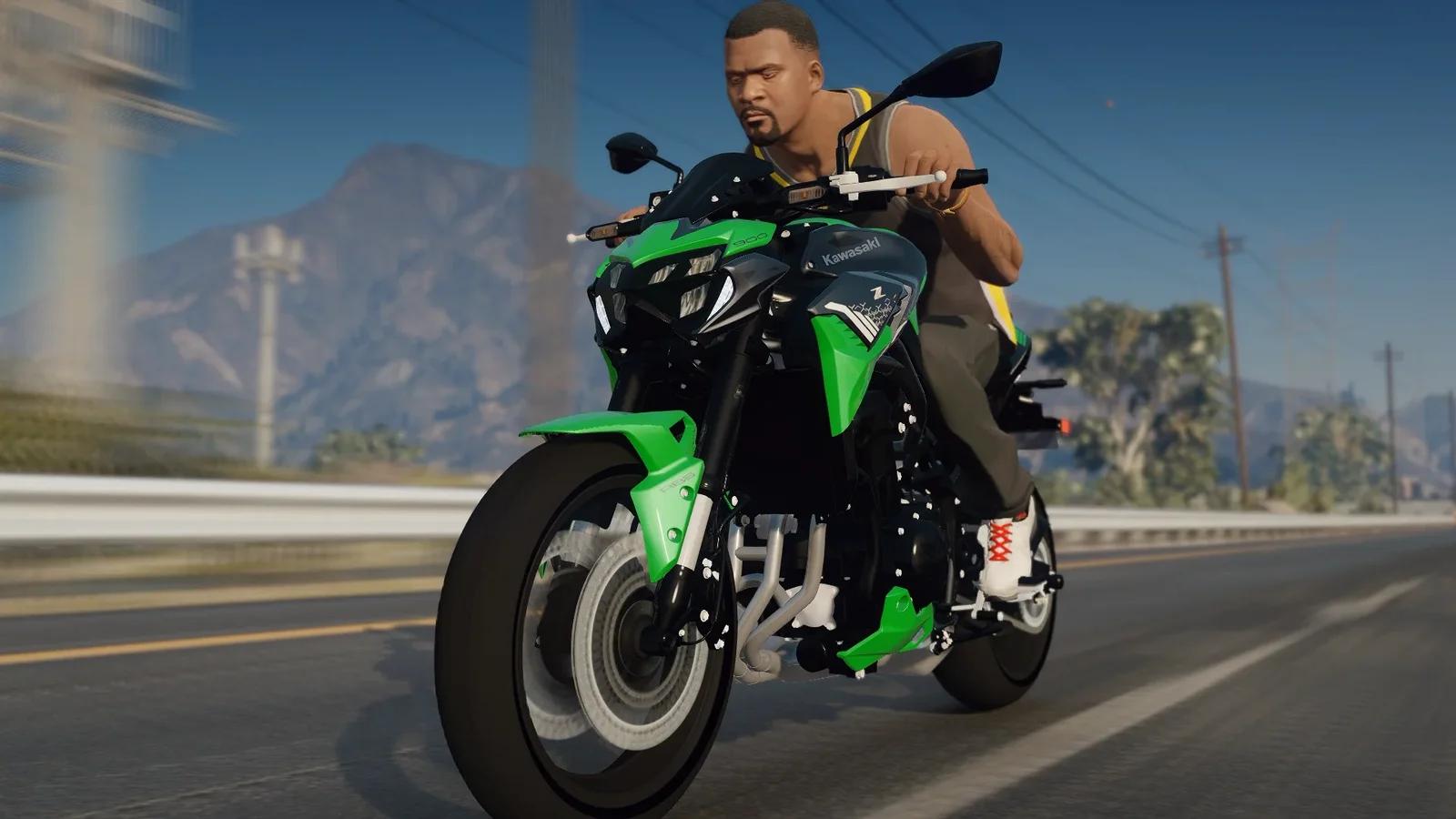
Z900 2025 BIKE MOD GTA V
Screenshots
Report this Mod
Help us keep Simulation World safe and reliable.
You need to sign in to report a mod.
Sign in to continueMod Details
Description
The 2025 Kawasaki Z900 is a powerful naked streetfighter motorcycle that combines aggressive styling, thrilling performance and advanced technology. It features a sharp Sugomi-inspired design, twin LED headlamps, a muscular fuel tank and a modern TFT colour display with smartphone connectivity. Powered by a 948cc liquid-cooled, inline-four engine producing 125 PS and 97.4 Nm of torque, paired with a 6-speed gearbox, it delivers exhilarating acceleration and smooth highway performance. With advanced traction control, multiple riding modes, a quick shifter and dual-channel ABS, the Z900 offers an exciting blend of power, precision and everyday riding comfort.
About This Mod
*HQ Exterior
*HQ Original Engine
*Official 4 Liverys
*Tunning Parts
*Working Speedometer
*Working Mirrors Reflections
*Working Dials & Dashboard
*Working Headlights & Taillights
*All Working Indicators
*Correct Seat Position
*V Plates
How to Install GTA V Mods?
GTA V mods can use different installation methods depending on the mod type. Follow the mod creator's instructions and use the required modding tools for the specific mod.
Step-by-Step Installation Guide
- Download the Mod: Download the GTA V mod files from this page.
- Read the Installation Requirements: Check whether the mod requires OpenIV, Script Hook V, ASI Loader or another required component.
- Install the Required Tools: Install the tools required by the mod before adding its files.
-
Install the Mod:
Follow the supplied instructions to place the mod files
in the correct GTA V directory or OpenIV
modsfolder. - Launch the Game: Start GTA V and test the installed mod in the mode supported by the mod creator.
Download Ready
Connect with the Creator
Have a question about this mod? Get in touch with the creator directly.
Troubleshooting Tips
- Make sure the mod is intended for your GTA V version and game mode.
- Check that all required tools or dependencies listed by the mod creator are installed.
- Verify that the mod files were placed in the exact folder or OpenIV location specified by the installation instructions.
- Remove conflicting mods or dependencies if the game crashes or the mod does not load.
Comments
0 comments
You need to be logged in to post a comment.
Sign In to Comment