
VITARA BREEZA 2018 CAR MOD GTA V
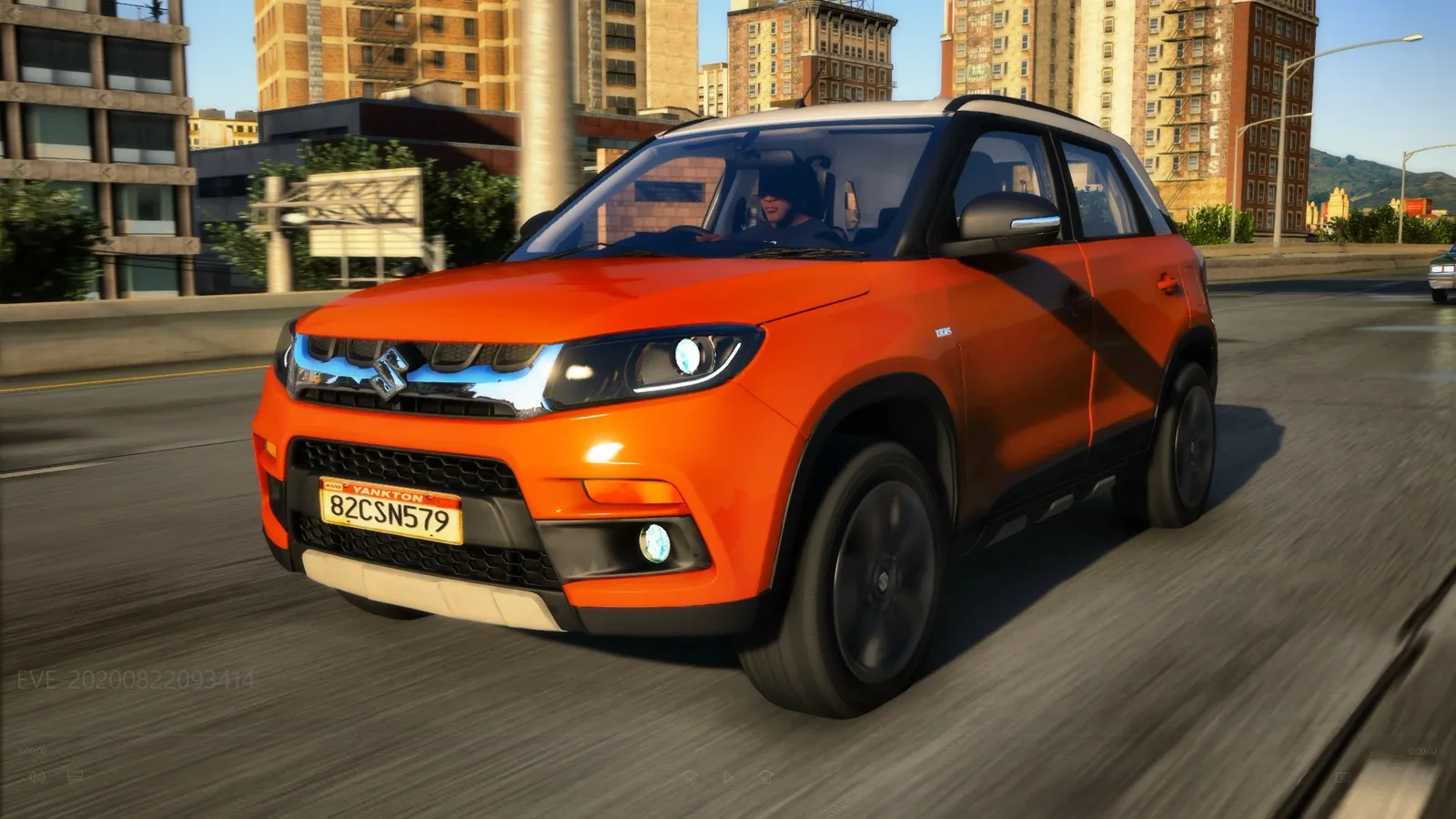
Screenshots
Report this Mod
Help us keep Simulation World safe and reliable.
You need to sign in to report a mod.
Sign in to continueMod Details
Description
The 2018 Maruti Suzuki Vitara Brezza is a stylish and practical compact SUV known for its bold design, fuel efficiency and dependable performance. It features a muscular front grille, projector headlamps, LED DRLs, sporty alloy wheels and a spacious, comfortable interior. Powered by a 1.3-litre DDiS diesel engine producing 90 PS and 200 Nm of torque, paired with a 5-speed manual or AMT transmission, it delivers excellent fuel economy and reliable everyday performance. With its high ground clearance, compact dimensions and practical features, the Vitara Brezza is ideal for both city driving and long-distance journeys.
About This Mod
*HQ Original Interior
*Paintable Roof ( Dual Tone )
*HD Tyres
*Color Changeable Wheels
*Working Mirrors Reflections
*Hands on Steeringwheel
*Working Dials & Dashboard
*LED Display
*Working Headlights & Taillights
*Correct Seat Position
*V Plates
Video Preview
How to Install GTA V Mods?
GTA V mods can use different installation methods depending on the mod type. Follow the mod creator's instructions and use the required modding tools for the specific mod.
Step-by-Step Installation Guide
- Download the Mod: Download the GTA V mod files from this page.
- Read the Installation Requirements: Check whether the mod requires OpenIV, Script Hook V, ASI Loader or another required component.
- Install the Required Tools: Install the tools required by the mod before adding its files.
-
Install the Mod:
Follow the supplied instructions to place the mod files
in the correct GTA V directory or OpenIV
modsfolder. - Launch the Game: Start GTA V and test the installed mod in the mode supported by the mod creator.
Download Ready
Connect with the Creator
Have a question about this mod? Get in touch with the creator directly.
Troubleshooting Tips
- Make sure the mod is intended for your GTA V version and game mode.
- Check that all required tools or dependencies listed by the mod creator are installed.
- Verify that the mod files were placed in the exact folder or OpenIV location specified by the installation instructions.
- Remove conflicting mods or dependencies if the game crashes or the mod does not load.
Comments
0 comments
You need to be logged in to post a comment.
Sign In to Comment