
Volvo B11r Sleeper Shell Skin Pack For Ets2 By Simulation World
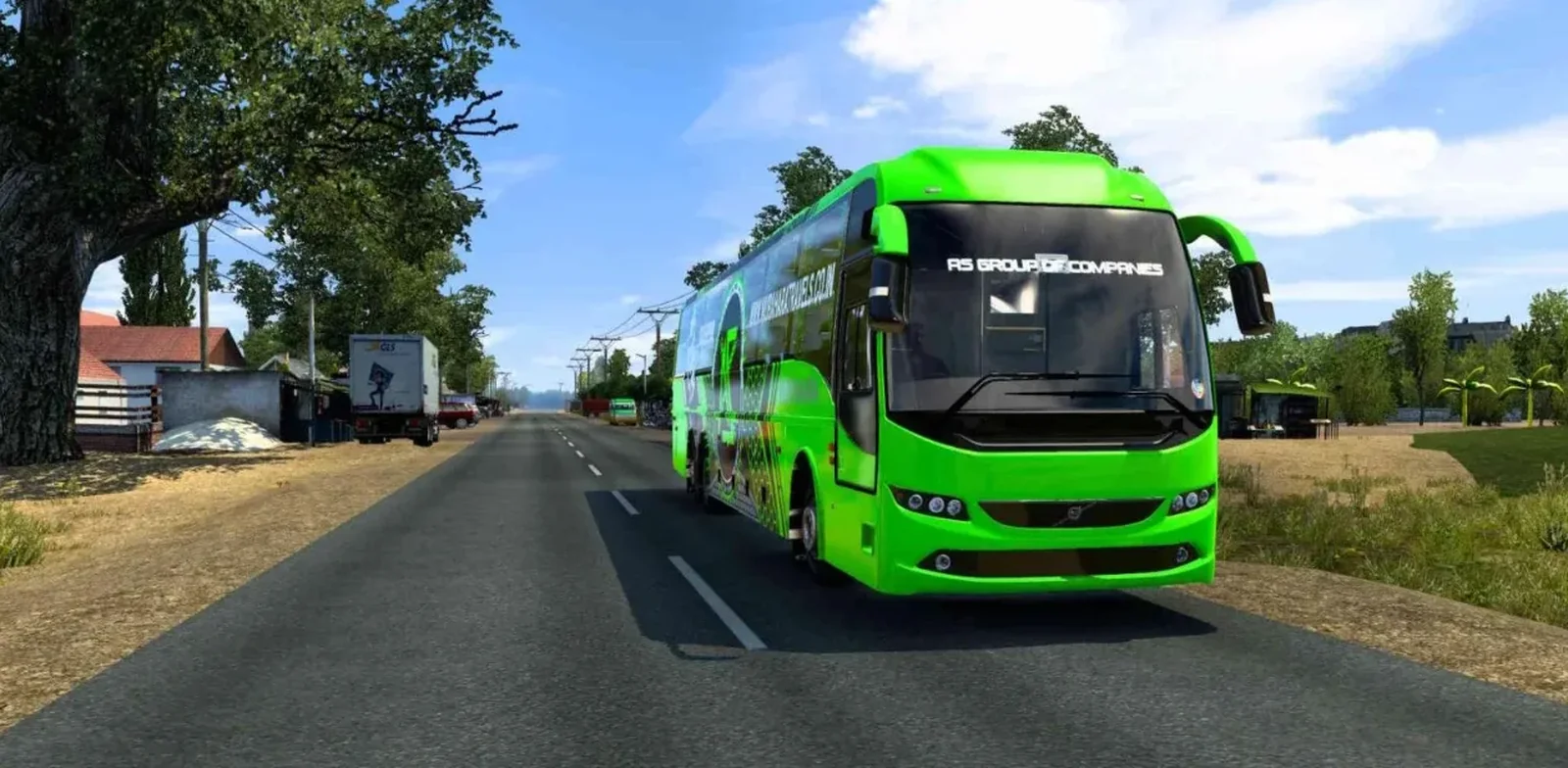
Screenshots
Mod Details
Description
About This Mod
Volvo B11R Sleeper Shell Skin Pack For ETS2 By Simulation World brings a fresh collection of stylish and realistic skins for the popular Volvo B11R Sleeper Shell bus in Euro Truck Simulator 2. Designed by Simulation World, this skin pack is created for players who enjoy adding an Indian bus-inspired look to their ETS2 gameplay.
The pack features carefully designed liveries with attractive colors, detailed graphics, branding elements, and realistic finishing touches. Each skin is made to enhance the overall appearance of the Volvo B11R Sleeper Shell while maintaining a clean and professional look in-game.
Whether you prefer modern luxury coach designs or bold Indian-style bus liveries, this pack provides a great way to refresh your favorite bus. The skins are suitable for players looking to improve their screenshots, videos, and regular gameplay with a more customized appearance.
Download the Volvo B11R Sleeper Shell Skin Pack For ETS2 By Simulation World and give your bus a completely new look on the road.
Video Preview
How to Install ETS2 Mods?
To install a mod in Euro Truck Simulator 2 (ETS2), download the mod file and place it in the game's mod directory, then activate it through the Mod Manager.
Step-by-Step Installation Guide
- Download the Mod: Download the ETS2 mod from this page.
- Locate the File: Find the downloaded mod file in your Downloads folder.
-
Open the ETS2 Mod Folder:
Navigate to your ETS2 user folder and open the
modfolder. -
Move the Mod File:
Copy the supported mod file into the ETS2
modfolder. - Activate the Mod: Launch ETS2, open the Profile Mod Manager and enable the downloaded mod.
- Check the Load Order: If the mod requires a specific priority, place it in the order specified by the mod creator.
Download Ready
Connect with the Creator
Have a question about this mod? Get in touch with the creator directly.
Troubleshooting Tips
-
Make sure the mod file is placed directly inside the ETS2
modfolder. - Check the ETS2 Mod Manager and make sure the mod is enabled for the active profile.
- Check whether the mod requires a specific ETS2 version, load order or additional dependency.
- Restart ETS2 after changing the mod installation or load order.
Comments
0 comments
You need to be logged in to post a comment.
Sign In to Comment