Prakash Volvo Celeste Premium Bus Mod Pack Ets2 By Simulation World
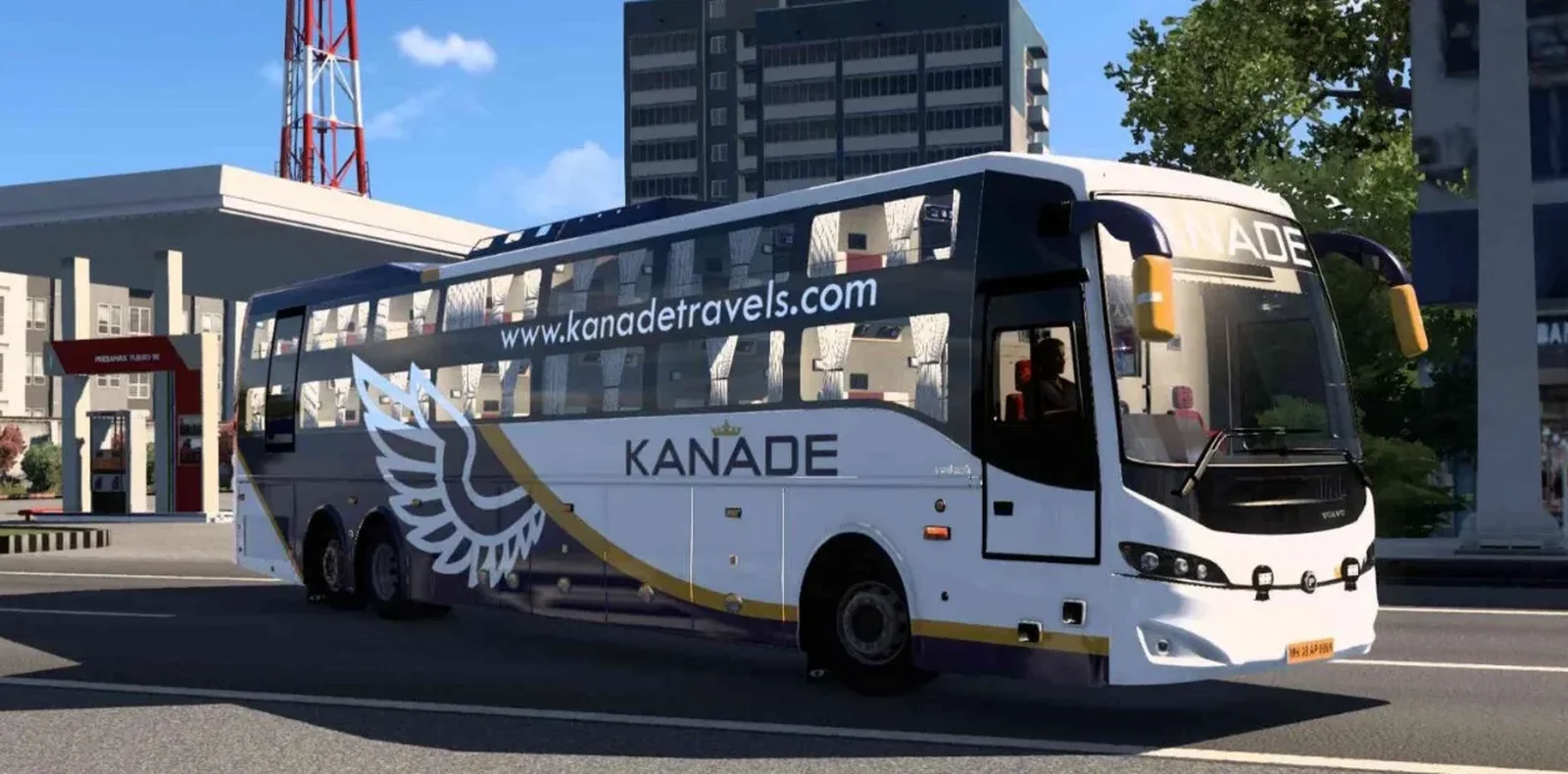
Screenshots
Mod Details
Description
FEATURES -
3 types of Chassis
1. b11r chassis 13.8mt
2. b11r chassis 14.5mt
3. b8r chassis (biaxle)
Original Engine with sounds
Passenger [both exterior & inner entry gate] and Driver door animations
Ai traffic available
Reverse Camera Addon
20skins + 5 empty slots [we will also provide template for your own skin making]
Running Led destination Board
Optimized game ready 3d model
Lots of customizable Indian horn is provided
Lots of interesting addons provided
About This Mod
Prakash Volvo Celeste Premium Bus Mod Pack for Euro Truck Simulator 2 is a premium-quality bus mod created by Simulation World for players who enjoy realistic Indian buses and long-distance journeys. This mod pack features the Prakash Volvo Celeste with a detailed exterior, stylish design, and a realistic overall appearance inspired by modern premium coaches.
The bus is designed to provide an enjoyable driving experience in ETS2, making it suitable for both city routes and long highway journeys. Players can experience the look and feel of a premium Indian coach while exploring different maps and routes. The mod pack is carefully developed with attention to visual details, giving the bus a distinctive and attractive presence on the road.
Simulation World brings this Prakash Volvo Celeste mod with a focus on quality, performance, and an immersive driving experience. Whether you enjoy Indian bus simulations, realistic coach driving, or simply want to add a premium bus to your ETS2 collection, this mod pack is a great addition to your game.
Video Preview
How to Install ETS2 Mods?
To install a mod in Euro Truck Simulator 2 (ETS2), download the mod file and place it in the game's mod directory, then activate it through the Mod Manager.
Step-by-Step Installation Guide
- Download the Mod: Download the ETS2 mod from this page.
- Locate the File: Find the downloaded mod file in your Downloads folder.
-
Open the ETS2 Mod Folder:
Navigate to your ETS2 user folder and open the
modfolder. -
Move the Mod File:
Copy the supported mod file into the ETS2
modfolder. - Activate the Mod: Launch ETS2, open the Profile Mod Manager and enable the downloaded mod.
- Check the Load Order: If the mod requires a specific priority, place it in the order specified by the mod creator.
Download Ready
Connect with the Creator
Have a question about this mod? Get in touch with the creator directly.
Troubleshooting Tips
-
Make sure the mod file is placed directly inside the ETS2
modfolder. - Check the ETS2 Mod Manager and make sure the mod is enabled for the active profile.
- Check whether the mod requires a specific ETS2 version, load order or additional dependency.
- Restart ETS2 after changing the mod installation or load order.
Comments
0 comments
You need to be logged in to post a comment.
Sign In to Comment