Nellore to Bangalore Map (NTOB) Ets2
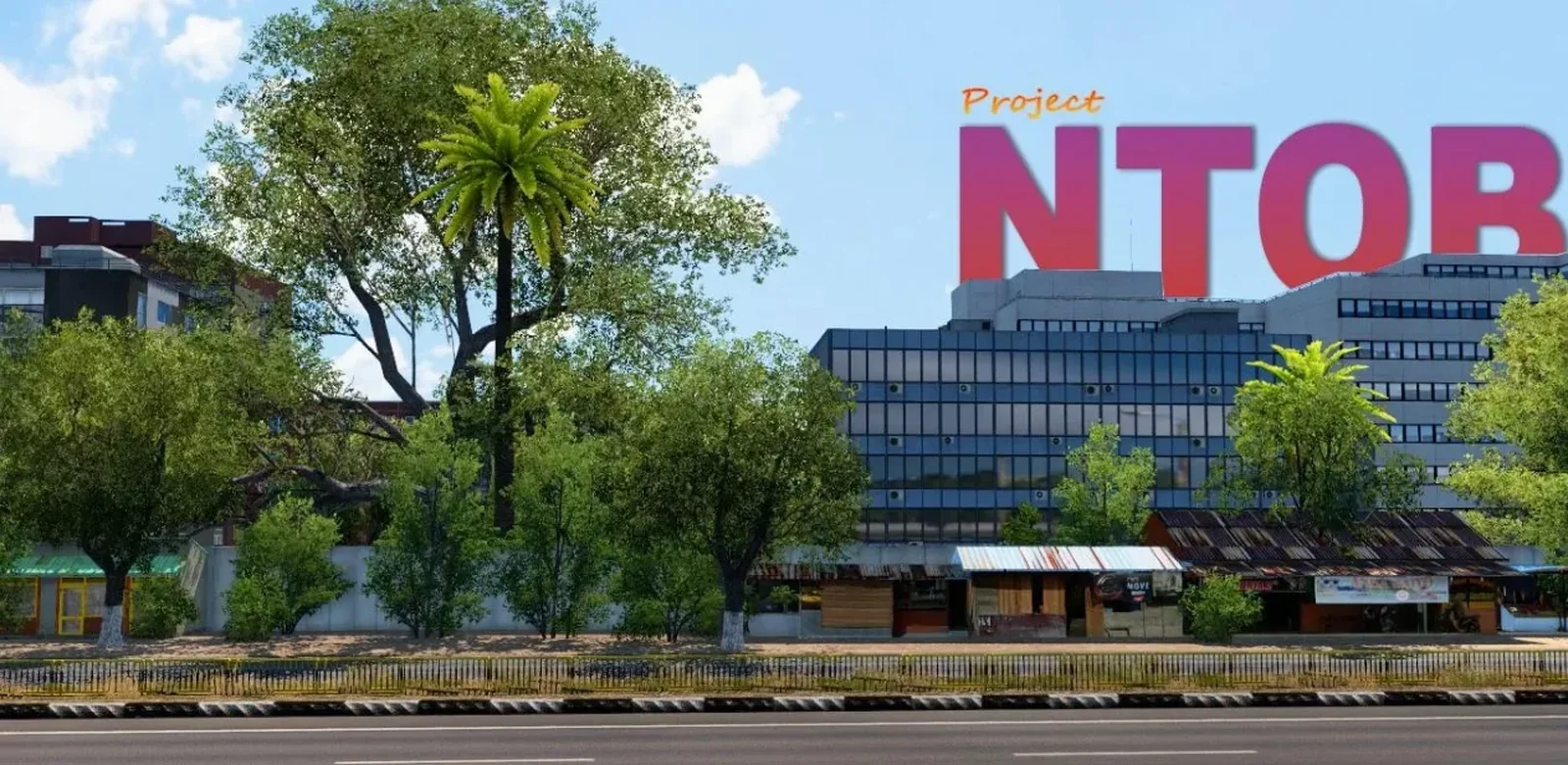
Screenshots
Mod Details
Description
WHAT ARE MAP DLCs ?Map Downloadable Content (DLCs) are the Maps that are created by scs which extends theroute and gives raise to more cities and countries. These need to be purchased in steam.
WHY SHOULD THESE BE PRESENT FOR NTOB MAP ?As a modder, when I design a map, I use models, prefabs, movers, roads and buildings ofvarious map DLCs since they give multiple options to enhance the player’s experience. Sothese DLCs need to be present in your system for running the map or else the map crashes.1) REAL CITIES2) REAL BUS STANDS3) LAG FREE ROUTES4) BEAUTIFUL SCENARY5) INDIAN BUS MODELS ADDED6) LONG HIGHWAYS & 2-LANE ROADS7) INDIAN SIGN BOARDS
For more Images : https://photos.app.goo.gl/HmzSsKVnaQGqkwhBA
ROUTE :Nellore – Gudur – Naidupeta – Srikalahashi – Tirupati – Chittoor – Palamaeru Rd –Kolar – Hoskote – BangaloreBus stop route in Nellore City : Ayyappa Gudi Circle – Vedayapalem – CurrentOffice center – Govt. Hospital – MGB Mall – KVR Circle – RTC Bus StandBus stop route in Bangalore City : KR Puram – ITI Gate – Tin Factory – Indira Nagar –Ulsoor Lake – Begum Mahal – Cubbon Rd – Vidhan Soudha – KR Circle – Majestic –Anand Rao CircleTotal Distance (Default) : 6.5k+ kmsDisplayed Distance in Game : 310 kms (real-life distance)
About This Mod
Nellore to Bangalore Map (NTOB) for Euro Truck Simulator 2 is an exciting Indian map modification created by Mahi Driving. The map brings the route from Nellore to Bangalore into ETS2, offering players a unique driving experience inspired by real Indian roads, cities, highways, and surroundings.
Players can enjoy long-distance journeys while experiencing different road environments, traffic situations, and scenic locations along the route. The NTOB map is designed for those who enjoy Indian-style trucking and want to explore a different type of map within Euro Truck Simulator 2.
This map can be a great addition for players who enjoy realistic Indian routes and long-haul gameplay. Whether you are driving a bus, truck, or other compatible vehicle, the Nellore to Bangalore route provides an interesting journey across South India.
Explore the Nellore to Bangalore Map by Mahi Driving and experience an Indian road trip directly inside Euro Truck Simulator 2. Make sure to follow the installation instructions and use the required game version for the best experience.
Video Preview
How to Install ETS2 Mods?
To install a mod in Euro Truck Simulator 2 (ETS2), download the mod file and place it in the game's mod directory, then activate it through the Mod Manager.
Step-by-Step Installation Guide
- Download the Mod: Download the ETS2 mod from this page.
- Locate the File: Find the downloaded mod file in your Downloads folder.
-
Open the ETS2 Mod Folder:
Navigate to your ETS2 user folder and open the
modfolder. -
Move the Mod File:
Copy the supported mod file into the ETS2
modfolder. - Activate the Mod: Launch ETS2, open the Profile Mod Manager and enable the downloaded mod.
- Check the Load Order: If the mod requires a specific priority, place it in the order specified by the mod creator.
Download Ready
Connect with the Creator
Have a question about this mod? Get in touch with the creator directly.
Troubleshooting Tips
-
Make sure the mod file is placed directly inside the ETS2
modfolder. - Check the ETS2 Mod Manager and make sure the mod is enabled for the active profile.
- Check whether the mod requires a specific ETS2 version, load order or additional dependency.
- Restart ETS2 after changing the mod installation or load order.
Comments
0 comments
You need to be logged in to post a comment.
Sign In to Comment