
Mercedes Shd Bus Mod Ets2 Free By Simulation World
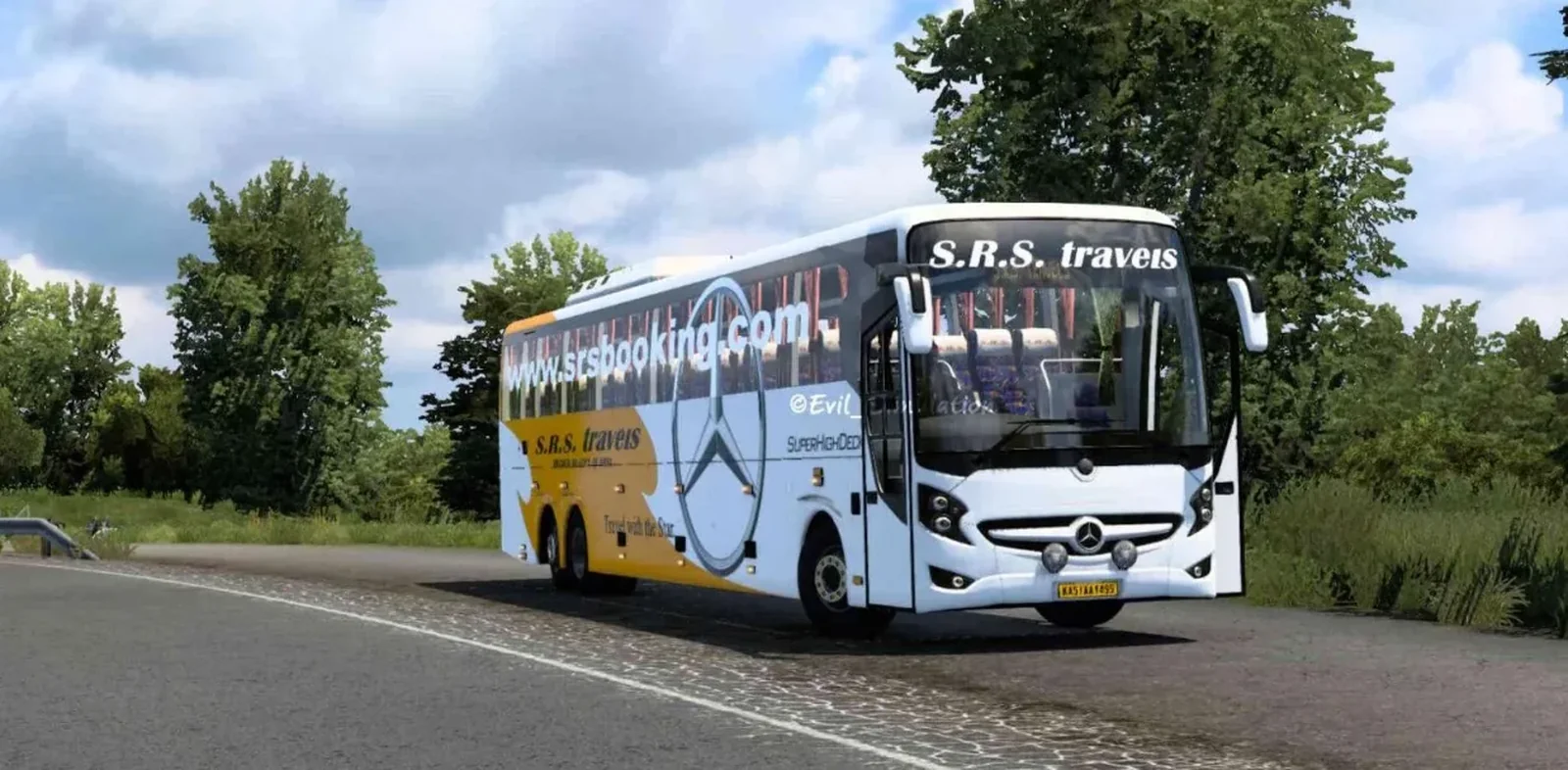
Screenshots
Mod Details
Description
Features:
3 chassis varient
2 cabin varient [animated&non-animated]
2 varients of interior
Indian Musical horn
Game ready 3d model for smooth gameplay
25 skin slots
Real life animations
Fully customizable bus mod
Interior lightening added
AI traffic vehichle included
About This Mod
Mercedes SHD Bus Mod for ETS2 – Free by Simulation World
Experience the Mercedes SHD bus in Euro Truck Simulator 2 with this free mod by Simulation World. The mod offers a detailed bus model, realistic design, and an enjoyable driving experience for ETS2 players.
Features:
Mercedes SHD bus
Detailed exterior and interior
Realistic driving experience
Free to download
Compatible with ETS2
Download the Mercedes SHD Bus Mod for free and enjoy a new bus driving experience in Euro Truck Simulator 2.
Video Preview
How to Install ETS2 Mods?
To install a mod in Euro Truck Simulator 2 (ETS2), download the mod file and place it in the game's mod directory, then activate it through the Mod Manager.
Step-by-Step Installation Guide
- Download the Mod: Download the ETS2 mod from this page.
- Locate the File: Find the downloaded mod file in your Downloads folder.
-
Open the ETS2 Mod Folder:
Navigate to your ETS2 user folder and open the
modfolder. -
Move the Mod File:
Copy the supported mod file into the ETS2
modfolder. - Activate the Mod: Launch ETS2, open the Profile Mod Manager and enable the downloaded mod.
- Check the Load Order: If the mod requires a specific priority, place it in the order specified by the mod creator.
Download Ready
Troubleshooting Tips
-
Make sure the mod file is placed directly inside the ETS2
modfolder. - Check the ETS2 Mod Manager and make sure the mod is enabled for the active profile.
- Check whether the mod requires a specific ETS2 version, load order or additional dependency.
- Restart ETS2 after changing the mod installation or load order.
Comments
0 comments
You need to be logged in to post a comment.
Sign In to Comment