
Maruti Suzuki Dzire 2024 Car Mod Ets2 By Simulation World
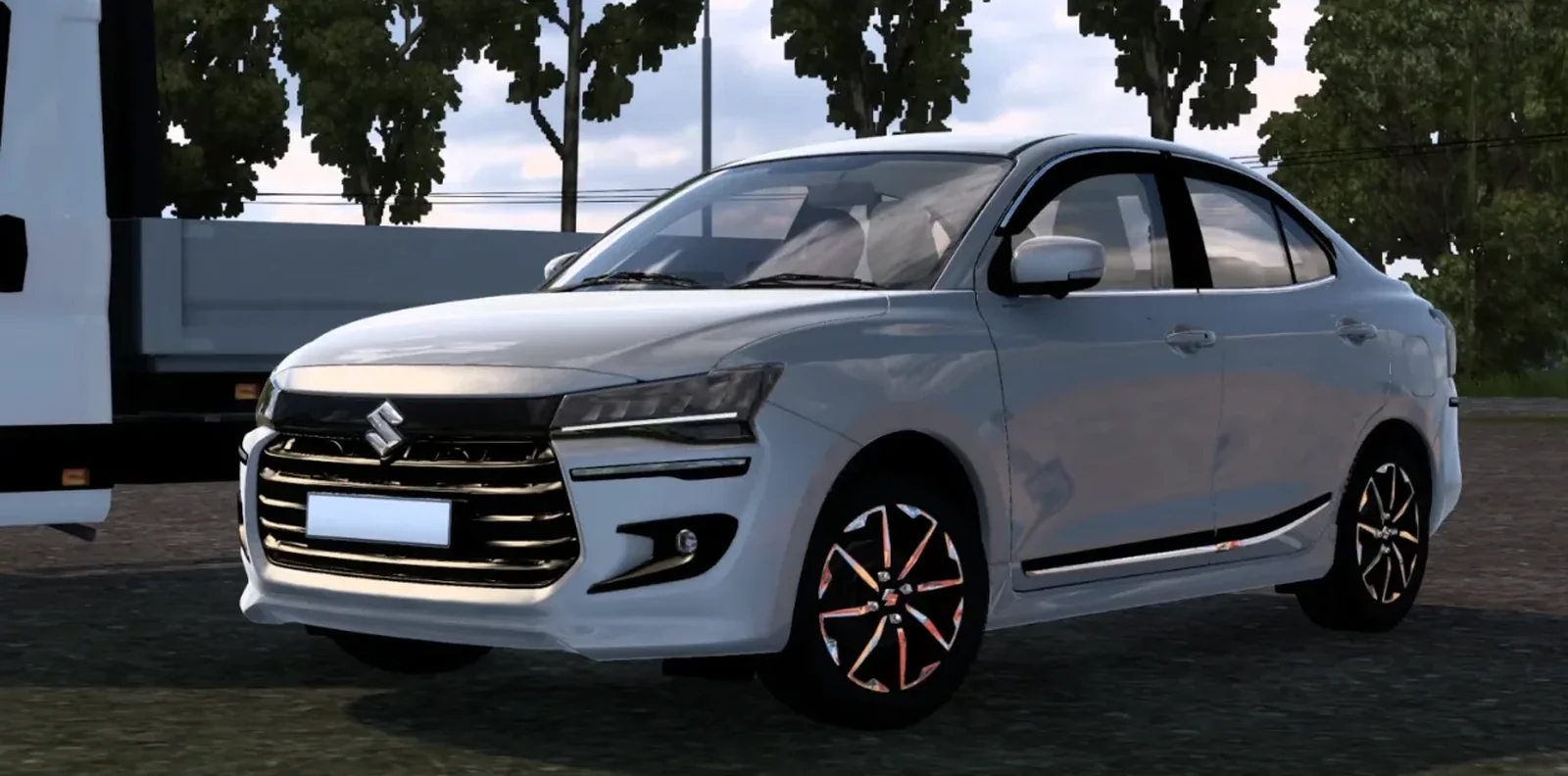
Screenshots
Mod Details
Description
Special Thanks to Team f_hawkz moddingMod X King
Features:Realistic 3d model with game ready OptimizationReal Soundsoriginal interiorDigital SpeedometerInterior lighteningai traffic (In Future Update)Genuine accessoriesWindow AnimationsLots of Indian and offroad Add-on
About This Mod
The Maruti Suzuki Dzire 2024 Car Mod for Euro Truck Simulator 2 brings the popular Indian sedan into the virtual world with a detailed and realistic design. Developed by Simulation World, this mod is created for players who enjoy driving Indian cars and adding a different experience to their ETS2 gameplay.
The 2024 Dzire features a modern exterior inspired by the latest-generation model, along with a clean interior and realistic proportions. The mod is designed to provide an enjoyable driving experience while exploring ETS2 roads, cities, and highways. Its familiar Indian styling makes it a great choice for players looking to add a practical and stylish car to their collection.
The Maruti Suzuki Dzire 2024 Car Mod is suitable for players who enjoy Indian vehicle mods and realistic car driving in ETS2. Install the mod through the usual ETS2 mod manager and activate it before starting your game.
Mod By: Simulation World
Game: Euro Truck Simulator 2
Vehicle: Maruti Suzuki Dzire 2024
Category: Car Mod
Video Preview
How to Install ETS2 Mods?
To install a mod in Euro Truck Simulator 2 (ETS2), download the mod file and place it in the game's mod directory, then activate it through the Mod Manager.
Step-by-Step Installation Guide
- Download the Mod: Download the ETS2 mod from this page.
- Locate the File: Find the downloaded mod file in your Downloads folder.
-
Open the ETS2 Mod Folder:
Navigate to your ETS2 user folder and open the
modfolder. -
Move the Mod File:
Copy the supported mod file into the ETS2
modfolder. - Activate the Mod: Launch ETS2, open the Profile Mod Manager and enable the downloaded mod.
- Check the Load Order: If the mod requires a specific priority, place it in the order specified by the mod creator.
Download Ready
Connect with the Creator
Have a question about this mod? Get in touch with the creator directly.
Troubleshooting Tips
-
Make sure the mod file is placed directly inside the ETS2
modfolder. - Check the ETS2 Mod Manager and make sure the mod is enabled for the active profile.
- Check whether the mod requires a specific ETS2 version, load order or additional dependency.
- Restart ETS2 after changing the mod installation or load order.
Comments
0 comments
You need to be logged in to post a comment.
Sign In to Comment