Livery Pack Prakash Capella Bs6 Sleeper Bus Mod Bussid/Bussin By Simulation World
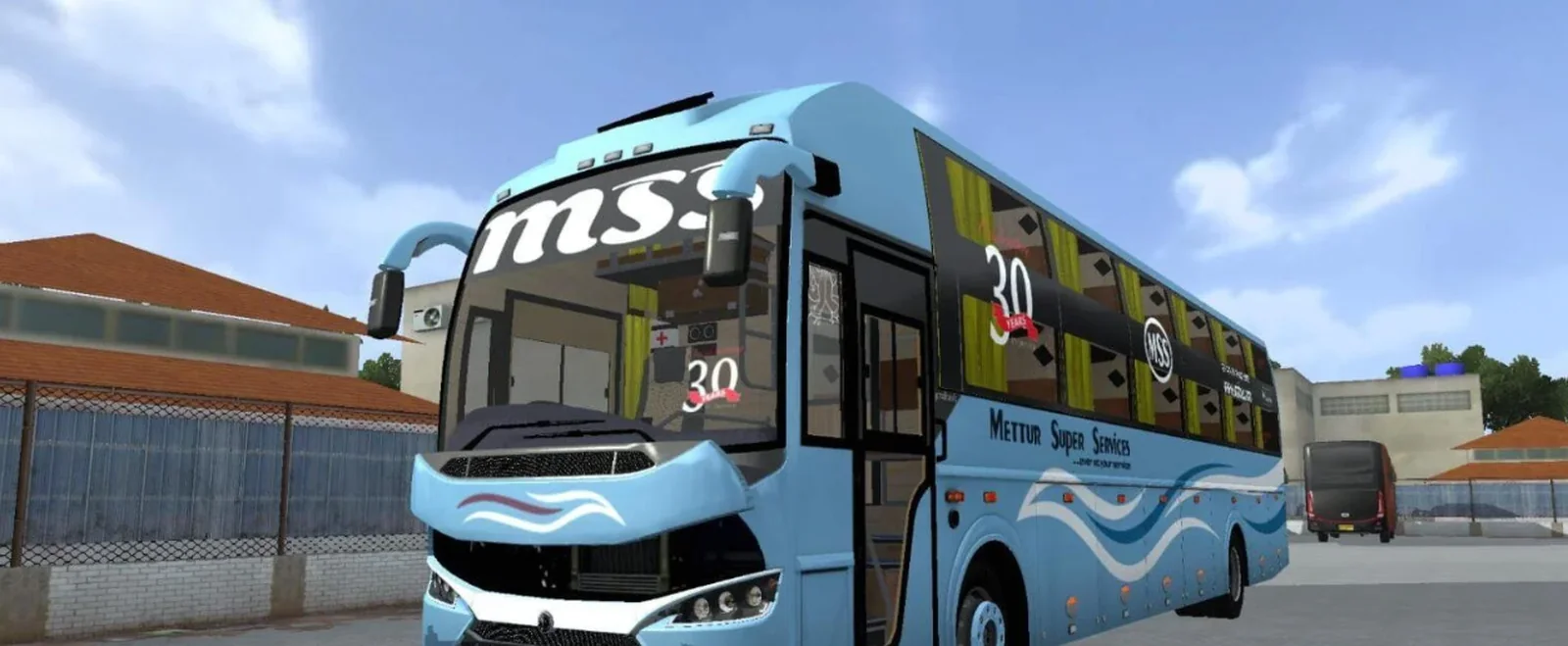
Screenshots
Mod Details
Description
30 skins are present in this pack
All are 2k skins with high quality.
Made by - Kalpesh Kapure
Livery Lists -
Bharathi travelsBsr travels
Chakra travels
Chalasani travels
Dolphin travels_02
Esteem_02
Hilight travels
Intercity bus
Ira travels
KBS_02
Krish travels
Ksm travels
Limousine travels
Murahahara travels
November travels
NSK travels
Ramana travels_02
SKS travels _04
Sri kumaran travels
Sri vaari travels
Swamy ayyappa travels
Vkaveri travels
Caution -
PLease do not re-edit and re-sell our livery/skins.
We may take legal action against you
About This Mod
Livery Lists -
Bharathi travelsBsr travelsChakra travelsChalasani travelsDolphin travels_02Esteem_02Hilight travelsIntercity busIra travelsKBS_02Krish travelsKsm travelsLimousine travelsMurahahara travelsNovember travelsNSK travelsRamana travels_02SKS travels _04Sri kumaran travelsSri vaari travelsSwamy ayyappa travelsVkaveri travelsVideo Preview
How to Install Bussin Mods?
To install a mod in
Bus Simulator Indonesia/India (Bussid/ Bussin),
you generally need to download the mod file
(usually ending in
.bussimod
or
.bussidvehicle)
and move it into the game's designated
"Mods" folder using a file manager.
Step-by-Step Installation Guide
- Download the Mod: Find a mod you like (bus, truck, or car).
- Locate the File: Open a file manager app like ZArchiver and go to your Downloads folder to find the file.
-
Move the Mod File:
- Long-press the mod file and select Copy or Cut.
- Navigate to the internal storage folder named BUSSID.
- Open the Mods folder inside the BUSSID directory.
- Paste the file here.
-
Activate in Game:
- Open Bus Simulator Indonesia/India.
- Go to the MOD section on the main menu.
- If the mod isn't showing, tap Import and select the file from your storage.
- Use the Mod: Go to your Garage, scroll through your vehicles until you find the new mod, and tap Use.
Download Ready
Connect with the Creator
Have a question about this mod? Get in touch with the creator directly.
Troubleshooting Tips
- Make sure the downloaded file is a supported BUSSID mod file.
- If the mod does not appear, check that it is inside the correct Mods folder.
- Restart the game after moving or importing the mod.
Comments
0 comments
You need to be logged in to post a comment.
Sign In to Comment