Damodar Super High-Deck Bs6 Sleeper Bus Pack Ets2 By Simulation World
Screenshots
Mod Details
Description
About This Mod
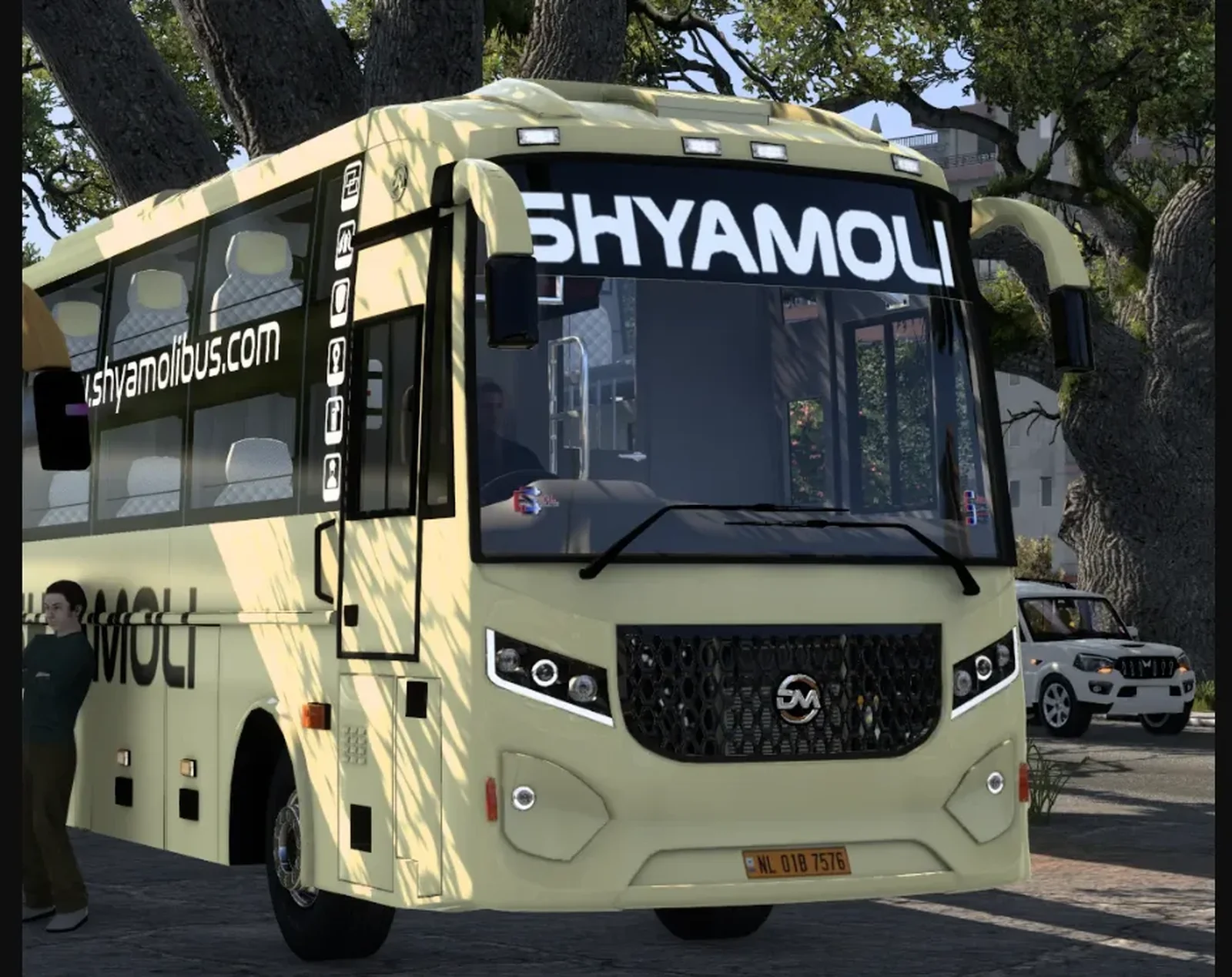
Damodar Super High-Deck BS6 Sleeper Bus Pack for Euro Truck Simulator 2 brings a detailed and realistic Indian sleeper bus experience to the game. Developed by Simulation World, this bus pack is designed for players who enjoy driving modern Indian coaches on long-distance routes. The Super High-Deck BS6 design gives the bus a premium and imposing appearance, while the sleeper configuration makes it suitable for overnight and intercity journeys.
The pack features a detailed exterior with a modern body design, realistic proportions, attractive lighting, and Indian-style bus detailing. The interior is designed to provide an immersive driving experience, with a comfortable sleeper layout and a dashboard inspired by real-world coaches. The bus is suitable for players who enjoy exploring ETS2 with Indian buses and creating realistic Indian road-trip scenarios.
Damodar Super High-Deck BS6 Sleeper Bus Pack is a great addition for ETS2 players looking for a stylish, modern, and immersive Indian sleeper coach. Experience long-distance journeys with Simulation World and enjoy the look and feel of a premium Indian bus in ETS2.
Video Preview
How to Install ETS2 Mods?
To install a mod in Euro Truck Simulator 2 (ETS2), download the mod file and place it in the game's mod directory, then activate it through the Mod Manager.
Step-by-Step Installation Guide
- Download the Mod: Download the ETS2 mod from this page.
- Locate the File: Find the downloaded mod file in your Downloads folder.
-
Open the ETS2 Mod Folder:
Navigate to your ETS2 user folder and open the
modfolder. -
Move the Mod File:
Copy the supported mod file into the ETS2
modfolder. - Activate the Mod: Launch ETS2, open the Profile Mod Manager and enable the downloaded mod.
- Check the Load Order: If the mod requires a specific priority, place it in the order specified by the mod creator.
Download Ready
Connect with the Creator
Have a question about this mod? Get in touch with the creator directly.
Troubleshooting Tips
-
Make sure the mod file is placed directly inside the ETS2
modfolder. - Check the ETS2 Mod Manager and make sure the mod is enabled for the active profile.
- Check whether the mod requires a specific ETS2 version, load order or additional dependency.
- Restart ETS2 after changing the mod installation or load order.
Comments
0 comments
You need to be logged in to post a comment.
Sign In to Comment